
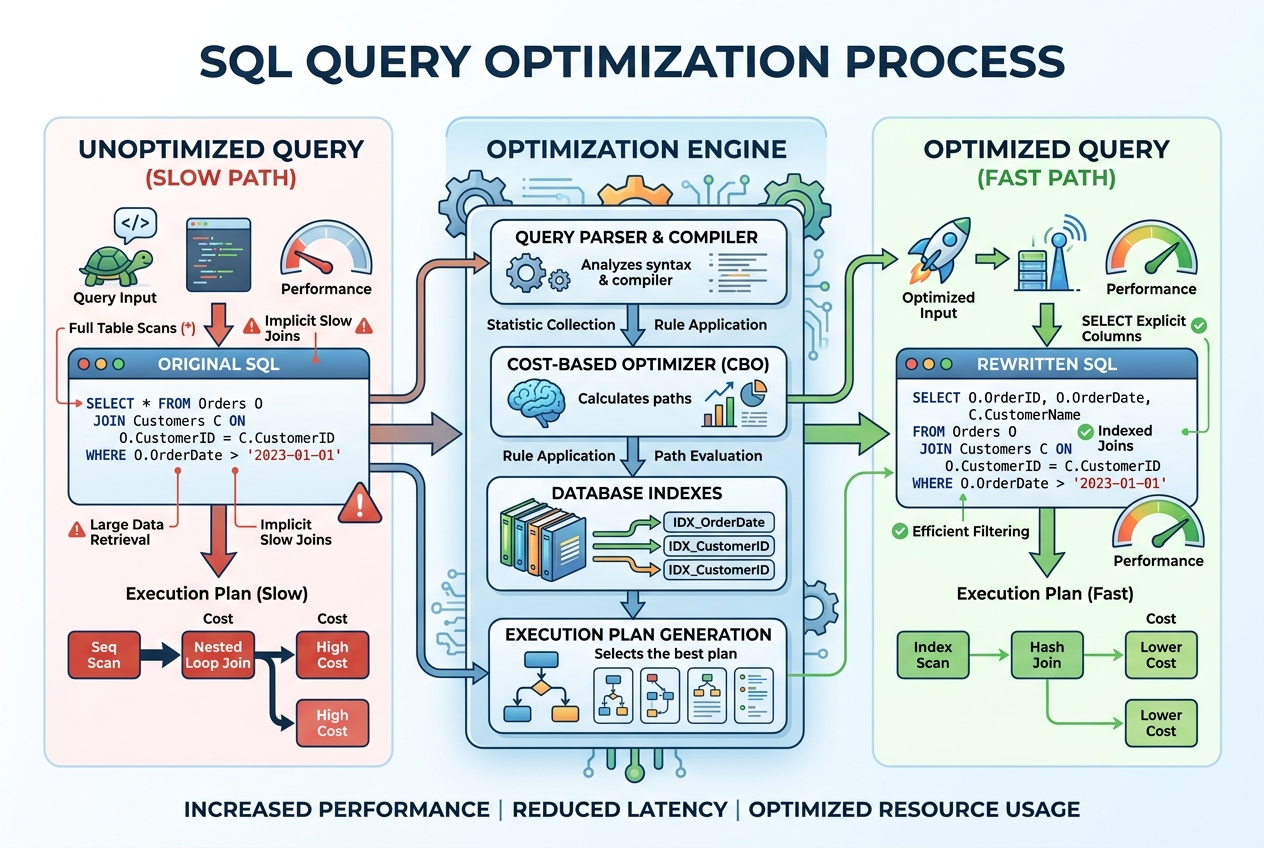
The Cost of Slow Queries
In database management, speed is everything. A slow query doesn't just make a dashboard take forever to load; it locks tables, consumes database CPU, spikes memory usage, and can ultimately bring down production services.
Writing SQL that returns the correct results is only the first step. Writing optimized, efficient T-SQL queries that scale to millions of rows is what separates junior developers from senior database administrators (DBAs) and data engineers.
Here are 5 practical query optimization techniques you can apply in Microsoft SQL Server today to speed up your database queries.
1. Avoid Non-Sargable Queries (Use Indexes Properly)
A query is SARGable (Search Argument Able) if the SQL engine can utilize indexes to search for the data. If you wrap an indexed column in a function in your WHERE clause, SQL Server cannot use the index and must perform a slow, full-table scan.
Non-SARGable Example:
SELECT OrderID, OrderDate
FROM Orders
WHERE YEAR(OrderDate) = 2026;
Because the YEAR() function is wrapped around OrderDate, SQL Server has to run YEAR() on every single row in the database, ignoring any index on OrderDate.
SARGable Rewrite:
SELECT OrderID, OrderDate
FROM Orders
WHERE OrderDate >= '2026-01-01' AND OrderDate < '2027-01-01';
By comparing the column directly to literal date ranges, SQL Server can execute an index seek, making the query nearly instant.
2. Eliminate Correlated Subqueries (Use JOINs or CTEs)
A correlated subquery is a subquery that runs once for every single row returned by the outer query. If your outer query returns 10,000 rows, the subquery runs 10,000 times.
Correlated Subquery:
SELECT
    e.EmployeeID,
    e.Name,
    (SELECT SUM(SalesAmount) FROM Sales s WHERE s.EmployeeID = e.EmployeeID) AS TotalSales
FROM Employees e;
JOIN Alternative:
SELECT
    e.EmployeeID,
    e.Name,
    SUM(s.SalesAmount) AS TotalSales
FROM Employees e
LEFT JOIN Sales s ON e.EmployeeID = s.EmployeeID
GROUP BY e.EmployeeID, e.Name;
By grouping and joining, the database engine processes both tables in a single set-based scan, reducing execution steps.
3. Avoid SELECT * (Only Request What You Need)
It is tempting to write SELECT * when drafting queries, but in production, this is highly inefficient:
- Unnecessary Network Payload: Sending unused columns (especially large text or binary data) consumes network bandwidth.
- Prevents Index Covering: If you only select
EmployeeIDandEmail, SQL Server can retrieve the data directly from a non-clustered index (an index seek) without looking up the main table. If you useSELECT *, it must perform a costly RID Lookup or Key Lookup to get the remaining columns.
Always list the exact columns you need.
4. Replace Cursors with Set-Based Logic
Many developers transitioning from procedural programming (like Python or C#) to SQL try to process rows using loops (Cursors).
Cursors force the database engine to process data row-by-row, which is extremely slow in relational databases. SQL Server is optimized to perform set-based operations (operating on all rows at once).
Whenever you think you need a loop, try to write it using:
CASE WHENstatements.- CTEs (Common Table Expressions).
- Window Functions (like
ROW_NUMBER()orLEAD()).
5. Analyze the Execution Plan
If a query is slow, do not guess why. Let SQL Server tell you.
In SQL Server Management Studio (SSMS), click Include Actual Execution Plan (Ctrl+M) and run your query. Look at the graphical execution plan:
- Table Scans (Red Flag): Indicates SQL Server is reading the entire table because no suitable index exists.
- Costly Operations: Look for the operator with the highest percentage cost (often Hash Joins or Key Lookups).
- Missing Index Recommendation: SSMS will often display a green recommendation at the top showing you the exact index script to create to speed up the query.
Advance Your SQL and Database Skills
Database optimization is a core skill for anyone working in backend development, data engineering, or BI architecture. Writing performant, scalable SQL queries is highly valued by enterprise tech teams.
If you are ready to master SQL Server from scratch to advanced database design and tuning, check out our SQL Server Masterclass and build production-grade database systems with guidance from industry experts.